
How to try a spiritual guided meditation
If faith is part of how you reflect, you can bring it into your guided meditation. Choose a tradition in Spiritual mode, then share what’s on your mind. Sessions start out secular, and you can return to that setting any time.
Choose how your next session is guided
Open Spiritual mode
Tap the profile icon to open Settings. Under Meditation, choose Spiritual mode.
Choose a tradition or stay secular
Choose Christianity, Islam, Judaism, Buddhism, Hinduism, or None (Secular). Tap Update to save your choice.
Check in and listen
Return to your chat and share how you’re feeling or what you’d like to reflect on. When your meditation is ready, tap the card to listen.
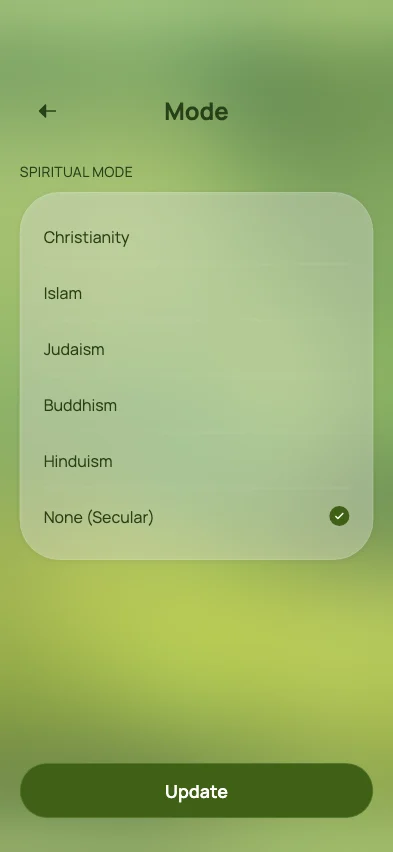
Choose a tradition or leave None (Secular) selected, then tap Update.
View full-size screenshotWhat Spiritual mode changes
A session can include a gentle reading or mantra that reflects the tradition you chose. Your check-in still shapes the session, and you can choose your narration language and voice separately.
For a secular session, choose None (Secular) and tap Update before your next check-in.
Try a check-in for your next session
For a moment of gratitude, try “I have a few quiet minutes this morning. Help me notice one thing I’m grateful for, with time to sit quietly.”
For a quieter end to the day, try “I’m still carrying a worry from today. Guide me through a gentle reflection on compassion, with space between the words.”