Guided meditation languages and voices
Find the language you want to hear, then preview its narration voices in Mellow Vale’s settings.
Browse all 714 voice optionsChoose the sound of your session
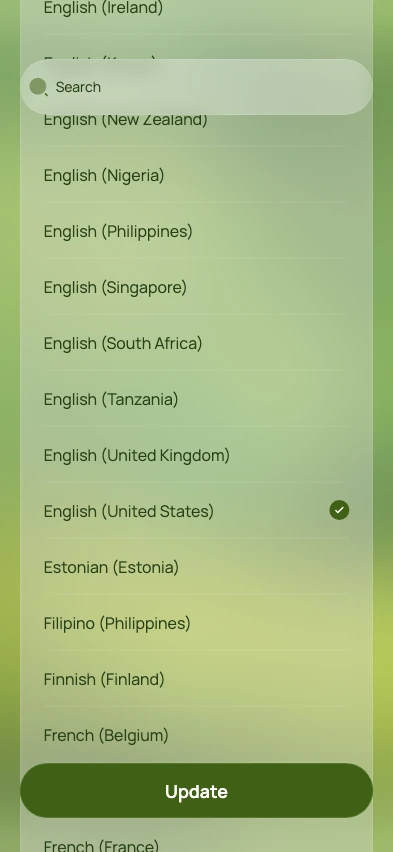
Set your meditation language
Open Settings → Language. Choose the language and regional option you want, then tap Update.
Preview and choose a voice
Open Settings → Voice. Use the play buttons to hear samples, tap the voice you prefer, then tap Update.
Open a session from your chat
Return to your chat and open a meditation. Your selected language and voice are used when preparing the audio. Stay connected while it is prepared.
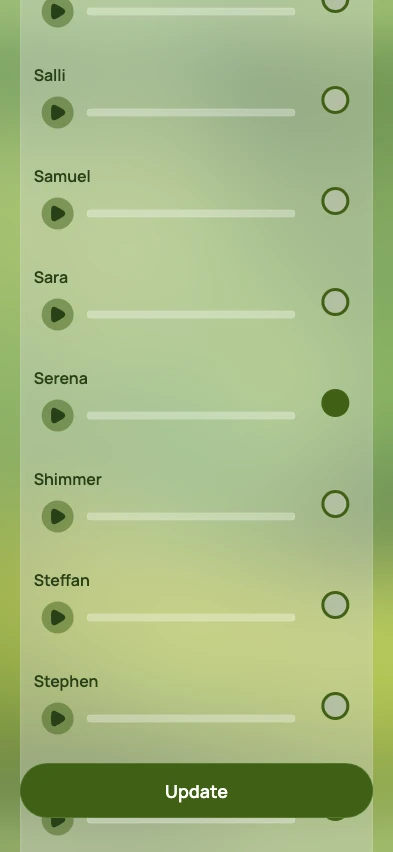
Part of the 65 US English voice options. The app opens near your selected voice.
View full-size screenshotMake the guidance comfortable to follow
Try a voice sample before choosing. Once you open the meditation, adjust playback speed and music volume so the spoken guidance feels comfortable to follow.
You can choose a different language or voice before opening a session from your chat. Changing a setting does not switch the voice in the middle of audio that is already playing.
Available languages and voices
Choose a language or region to see its meditation voices. Search for a language, region, or voice name. These choices are for narration; the app’s menus remain in English.
- Voice options
- 714
- Language and regional choices
- 154
Checked November 15, 2026. Regional variants count separately. Some voice names have more than one option; availability can change.
154 language and regional choices