
How to start a personalized guided meditation
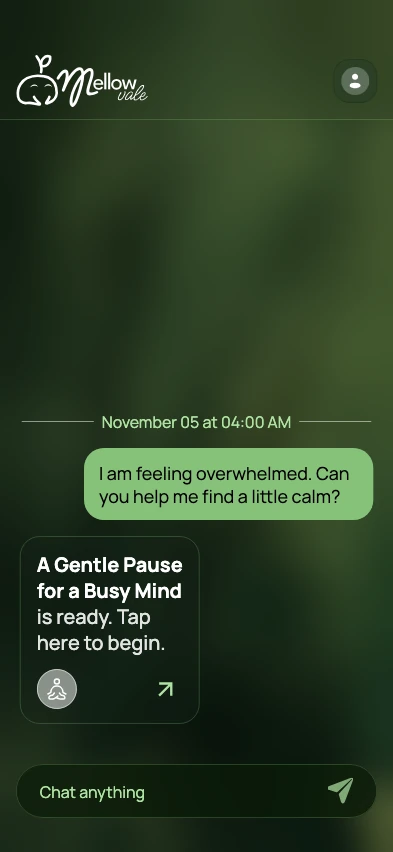
Start with where you are, how you feel, or what you’d like to practice. “I’ve been rushing all morning. Help me slow down and notice what’s around me” is enough for a first session.
Turn a check-in into your first session
Describe the moment in your own words
Say what’s happening and what kind of pause you want. Try “I have a few minutes before my next call. Guide me through a short practice while I sit at my desk.”
Name one thing you’d like to focus on
Pick sounds in the room, the feeling of your feet on the floor, or the breath moving naturally. If you’re unsure, ask for simple language and one point of focus.
Open your meditation and listen
When your guided meditation is ready, open it from the chat. Adjust the overall volume, background music level, or playback speed in the player as you settle in.
Three check-ins to try
When your mind is busy: “I keep going over my to-do list. Let’s notice the sounds in the room, with a little space between instructions.”
During a break: “I’ve been at my desk all morning. Guide me through a short pause with my feet on the floor.”
At the end of the day: “I’m still thinking about work. I’d like a quiet practice to close out the day.”
Set your preferences before a session
You can preview and choose the meditation voice and pick from the available meditation languages. Mellow Vale’s interface is in English. The default session style is secular, and you can choose a spiritual mode in Settings.
You can try a session as a guest. Sessions you create while signed in are linked to your account across devices.